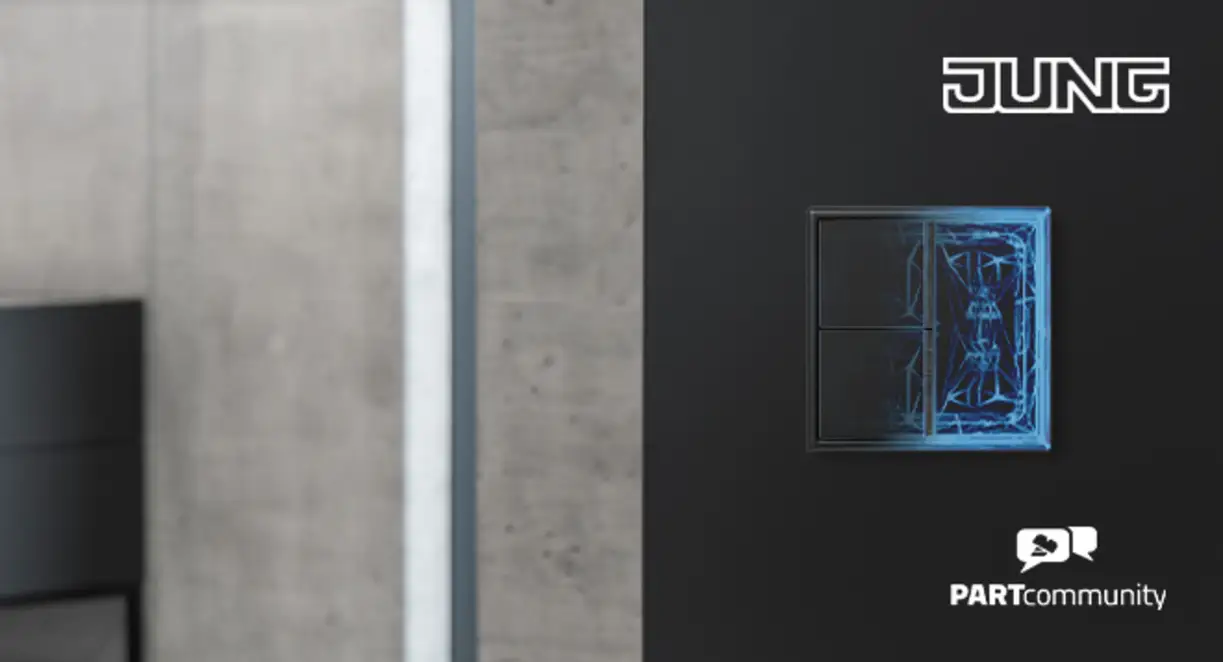
Digital planning with BIM
New JUNG extensions, libraries and tools
Intuitive architecture is the result of precise planning. JUNG supports architectural firms and specialist planners with it by providing them with digital tools and extended BIM services, including new configurator functions for Autodesk Revit and Graphisoft Archicad, integrated solutions for Vectorworks and the pCon Planner, and comprehensive CAD and BIM data from the JUNG.Partcommunity. Descriptive tutorial films on the JUNG website also demonstrate the practical use of BIM offerings and support the transition to digital electrical planning.
By providing updated digital planning tools, JUNG is further expanding its range of BIM-based work processes. These include new JUNG configurator functions for Autodesk Revit and Graphisoft Archicad, as well as extended Vectorworks and pCon Planner applications. These tools facilitate the safe handling of JUNG solutions and enable electrical equipment to be integrated into the planning process at an early stage. They increase planning security and support an end-to-end digital workflow. The expanded digital planning options include up to 10,000 JUNG items for switch combinations, as well as natively integrated JUNG products.
(Please note: The JUNG electrical planning solutions and product libraries for Vectorworks are currently available for use in Germany, Austria and Switzerland (DACH region) only.)
BIM with JUNG is available as a download, add-in or is natively integrated into common tools
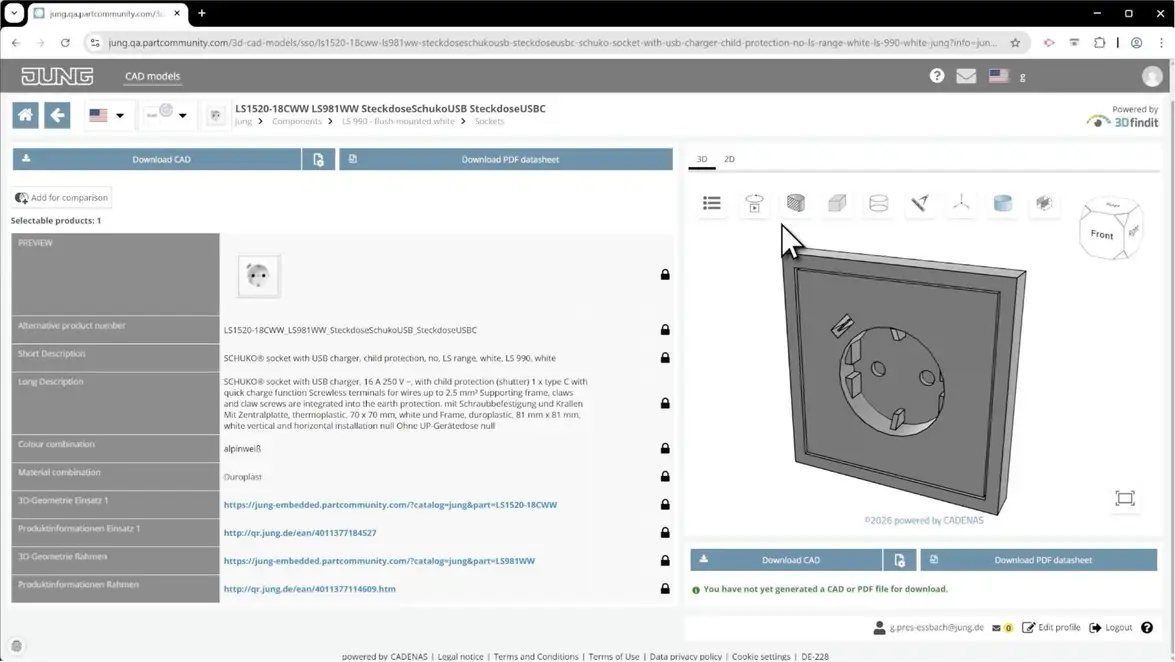
JUNG supports planners with easily and intuitively integrating the familiar assembly logic and design matrix of JUNG solutions into their planning data with a wide range of BIM offerings. In addition, JUNG provides planning data for JUNG products in over 120 common CAD formats in the JUNG.Partcommunity. To create a CAD model in the correct format, simply select the relevant assembly, compact device or individual article. For fast planning, we recommend using assembly data, i.e. compact single or multiple combinations consisting of bundled individual articles. Individual articles contain characteristics according to the recognised ETIM classification system, which has been tried and tested for 20 years and forms the basis for more detailed planning. After registering in the JUNG.Partcommunity, all the required data can be easily downloaded for free.
CAD & BIM with the JUNG.Partcommunity
Based on concrete work steps, the tutorial explains how to use the JUNG. Partcommunity for CAD and BIM-based planning processes. It demonstrates how assemblies or individual devices can be researched, how geometries can be checked, and how suitable data formats can be selected. Additionally, the video discusses creating tender texts and PDF data sheets for further project processing.
Go to the tutorial: https://cms-assets.jung.de/shop/media/43/434702/JUNG_MOV_PARTcommunity_Tutorial_EN.mp4
To the JUNG.Partcommunity: https://www.jung-group.com/en-DE/Service/Downloads/BIM/Partcommunity/
JUNG also now provides free configurators as add-ins for Graphisoft Archicad and Autodesk Revit. With Vectorworks, JUNG planning data for the LS 990 switch series can be accessed directly within the electrical installation tool, where it is fully integrated as a standard feature. All the expansions focus on extensive international product solutions relevant for global planning, as well as the complete Les Couleurs® Le Corbusier® colour portfolio.
Go to the new JUNG BIM solutions: https://www.jung-group.com/en-DE/Service/Downloads/BIM/
JUNG Product Library integrated into Vectorworks
Regional availability notice: The JUNG Product Library for Vectorworks and the related electrical planning functions are currently available for projects in Germany, Austria and Switzerland (DACH region) only.
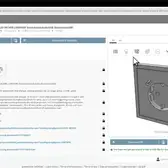
Update 2 of Vectorworks 2026 sees JUNG take digital electrical planning to a new level. The LS 990 switch range is now available as an integrated product library within the Vectorworks electrical installation tool, combining precise technical data with the original's design diversity. The data adheres to the JUNG modular principle and can be configured directly within the Vectorworks environment. Using the electrical installation tool, multiple combinations of JUNG products can be assembled for all colour and material variants on a project-specific basis and realistically represented in the digital building model. Planning and design are thus seamlessly intertwined.
The Electrical Installation Tool in Vectorworks supports precise, model-based working. Electrical components can be positioned precisely via defined reference points and linked intelligently to walls, doors, and windows. Changes to the floor plan automatically result in the installed components being positioned accordingly. The uniform 2D and 3D representation ensures consistent visualisation throughout the planning process. Additionally, the tool enables the automatic creation of evaluations, bills of materials and tables based on structured, reusable project data. The clear data logic reduces planning errors, facilitates coordination with specialist planners, and accelerates documentation, creating an end-to-end digital workflow that combines technical precision with design quality and making electrical planning much more efficient.
VECTORWORKS & JUNG
The tutorial guides you step by step through the integration of LS 990 switches into Vectorworks, from downloading the library to configuring individual combinations and placing them in the floor plan. It also shows how to retrieve electrical evaluations and use predefined surfaces and textures, including 63 original Les Couleurs® Le Corbusier® shades.
Go to the tutorial: https://cms-assets.jung.de/shop/media/43/434695/JUNG_MOV_Vectorworks_Tutorial_DE.mp4
To the JUNG Product Library in Vectorworks: https://www.jung-group.com/en-DE/Service/Downloads/BIM/#vectorworks
JUNG configurators as add-ins for Autodesk Revit and Graphisoft Archicad
The JUNG add-in for Revit 2026 and the JUNG plug-in for Archicad provide planners with powerful tools to configure switch and socket combinations directly in the BIM model. In both applications, frames, covers, and inserts are guided logically, and any incorrect or inadmissible combinations are automatically excluded. The configuration process takes place within the familiar planning environment and is seamlessly integrated into the respective BIM workflow.
Around 10,000 JUNG products can be inserted into the model as native BIM and 3D objects, in all available colours and designs. All relevant product properties, from materials and dimensions to technical performance characteristics, are stored in the objects. The optimised geometries support high-quality visualisation and detailed implementation and tender planning in different planning phases, while standardised classifications ensure integration into OpenBIM processes. In Revit, customisable DIN symbols ensure a clear plan structure, and in Archicad, circuit symbols that comply with DIN EN 60617-2 are used. Changes to visible planning components are updated synchronously in all plan representations, with automatic bills of materials and quantity determinations enabling precise and efficient project management. Current versions of the Revit add-in, including the manual, as well as backwards-compatible versions up to Revit 2024, are available to download, as is the JUNG product library for Archicad, including the user manual.
REVIT & JUNG
This tutorial explains how to work with the JUNG Configurator in Autodesk Revit, covering everything from installation to selecting switch ranges and creating individual combinations. It also covers different placement types for various model structures, as well as adapting circuit symbols and spacing. The film shows how BIM data is made up of individual components, such as frames, covers, and inserts, and how it can be used for planning, evaluation, and tendering.
Go to the tutorial: https://cms-assets.jung.de/shop/media/43/434716/JUNG_MOV_Revit_Tutorial_EN.mp4
JUNG Configurator for Revit: https://www.jung-group.com/en-DE/Service/Downloads/BIM/#revit
ARCHICAD & JUNG
The tutorial walks users through the setup of the JUNG product library in ARCHICAD and then shows, in detail, how to configure switch combinations. Frames, materials, colours and inserts can be selected and adjusted as required. The video also explains how to carry out standard-compliant BIM evaluations and access further product information directly from the planning stage.
Go to the tutorial: https://cms-assets.jung.de/shop/media/43/434710/JUNG_MOV_Archicad_Tutorial_EN.mp4
JUNG Plug-in for Graphisoft Archicad: https://www.jung-group.com/en-DE/Service/Downloads/BIM/#archicad
JUNG expands the pCon connection further
JUNG is the first manufacturer in the electrical industry to expand the pCon Community by equipping it with digital information on switches and sockets. The pCon.planner is a free, professional software program for interior designers and decorators to plan spaces and furnishings. With just a few clicks, they can create complete 3D interiors, furnish them and apply surface finishes. The tool facilitates electrical planning, communication and exchange with electricians. JUNG products from the LS 990 switch series can be used in pCon.planner and displayed photo-realistically using OFML data. Alongside the key functions of the JUNG product portfolio in plastic and metal versions, the Les Couleurs® Le Corbusier® colour range has now been fully integrated. This means that all 63 architectural colours are available for planning in pCon and can be incorporated into room and furnishing concepts in a material- and colour-specific way.
Additionally, the pCon.xcad plugin enables JUNG switches to be integrated directly into Vectorworks. The latest JUNG product data can be accessed during CAD planning without any disruption to the workflow or the need to change systems. Configuration takes place immediately in the familiar working environment and changes are applied consistently.
To JUNG in the pCon ecosystem: https://www.jung-group.com/en-DE/Service/Tools-Services/pCon-Community/
With JUNG BIM solutions, a continuous planning process is created from design to visualisation, with up-to-date data, high application reliability, and a seamless connection between electrical equipment and attractive design.
In line with this, JUNG was recently included in the Top Brand selection in the Most Creative Brand category at the BIMobject Awards 2026, thanks to its versatile digital offerings. Through its strategic partnership with BIMobject, JUNG is further strengthening its position as an innovative provider of digital building technology. Since 2016, the company has made its products available in the form of high-quality BIM objects on the leading international BIMobject platform, enabling architects and planners to access switch ranges, smart home solutions, and building system technology efficiently and based on data. This collaboration supports end-to-end digital planning while simultaneously increasing the global visibility of the JUNG product range in the early stages of projects.
BIM planning with JUNG: https://www.jung-group.com/en-DE/Service/Downloads/BIM/
Contact person for BIM queries:
Gion Pres-Eßbach
Marketing Manager BIM
[email protected]
+49 172 234 9730
Availability notice: Certain BIM tools and integrations described in this press release may be market-specific. The JUNG solutions for Vectorworks are currently available exclusively in the DACH region (Germany, Austria and Switzerland)
Images:
All images shown, as well as additional photos, may be used editorially free of charge with credit (© JUNG). All images may only be used freely in the context of reporting on JUNG. Any further uses (such as covers or contributions unrelated to JUNG) require separate agreement with the rights holders.
Credit: © JUNG
Download: https://jung.canto.de/b/IHRRH









Gallery


