0
Arhitektiem

The JUNG HOME gateway

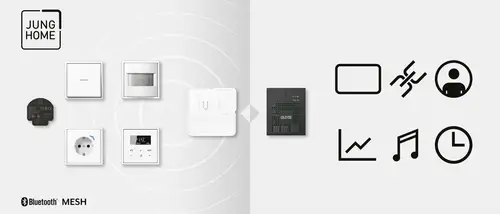
The JUNG HOME gateway connects the system directly or via the myJUNG Cloud with other gateways and servers. In this way, numerous functions and services from various providers can be integrated into the networked home. The JUNG HOME app is also sufficient for the integration.

Voice control for JUNG HOME
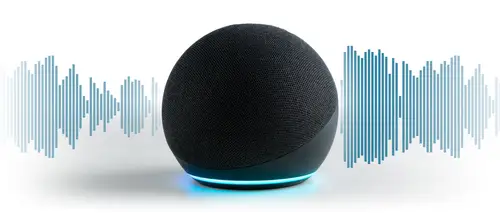
With the JUNG HOME gateway, all JUNG HOME products and connected smart solutions from other brand manufacturers can be controlled by voice. Using the Amazon Alexa or Google Assistant apps on the smartphone, JUNG HOME can also be operated remotely, e.g. to control the heating by voice command on the way home.

JUNG HOME + Smart Visu Server

A connection of an existing JUNG HOME system to a Smart Visu Server offers the user a variety of additional functions. The system is linked to the Smart Visu Server via the JUNG HOME gateway. Operation is then carried out via the interface of the server. Through the connection, the user now has a platform for two JUNG systems - JUNG HOME and KNX. Visualisation and control of all functions is possible via the Smart Visu Server app using a smartphone or tablet.
More possibilities with JUNG HOME
visualisation
The visualisation and control of all smart functions, both KNX and JUNG HOME, is possible via the Smart Visu Server app using a smartphone or tablet.
myJUNG remote access

By connecting the Smart Visu Server to your JUNG HOME gateway, you can also control all smart functions on the move. This is possible via the Smart Visu Server app in combination with a myJUNG account.

user management

The Smart Visu Server offers the option of user management. Profiles can be created that assign  to each user personalised views and control options

Charting

The charting function of the JUNG HOME sockets for recording and visualisation of the energy consumption can also be called up via the Smart Visu Server app on your mobile devices.

Central time control
The central time control in the Smart Visu Server makes it possible to control various smart home functions automatically according to fixed schedules or events. This allows recurring processes to be optimised and living comfort to be increased.
Control from Philips Hue
The Smart Visu Server communicates with your Hue luminaires via the Philips Hue Bridge. All Philips Hue lamps can be integrated into the Smart Visu Server interface and can then be controlled individually or as groups via the Smart Visu Server interface.
Control of audio systems
The Smart Visu Server from JUNG enables the integration of Sonos and sonoro audio systems (MEISTERSTÜCK Gen. 2 and MAESTRO QUANTUM) into a KNX Smart Home environment. Both systems can be controlled directly via the Smart Visu interface .
Smart door communication

JUNG intercom systems are compatible with Siedle via the In-Home bus. In a KNX installation with Smart Panel 8 visualisation, the touch display becomes a video intercom via the Siedle Smart Gateway SG 650 or SG 150.

Tutorial 

JUNG HOME and SmartThings
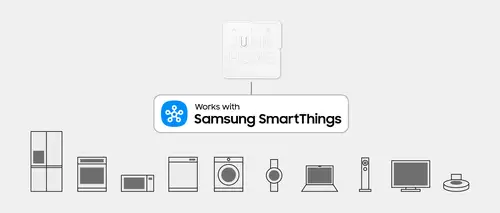
The gateway can be connected to SmartThings. This allows JUNG HOME to become part of a wider Smart Home ecosystem: JUNG HOME functions can be integrated into shared scenes alongside compatible SmartThings devices. The Samsung SmartThings app, available for iOS and Android, is used to control the IoT devices. This allows you to conveniently control smart devices – for example, smart luminaires, thermostats, smart TVs or robot vacuum cleaners – via your smartphone, smartwatch or voice command.
Application examples
Smart TV
Perfect for a film night: in a coordinated scene, JUNG HOME dims the lighting whilst the SmartThings Smart TV switches on at the same time. This creates the perfect home cinema atmosphere with a single command.
Start of scene
All it takes is the press of a button: scenes that combine JUNG HOME and SmartThings IoT devices can be conveniently activated using a JUNG HOME push-button. This allows, for example, lighting, shading and smart devices to be activated simultaneously.
Robot vacuum cleaner
When you leave the house, the JUNG HOME push-button becomes the ‘Goodbye’ push-button: at the touch of a button, selected JUNG HOME functions are adjusted – and the robot vacuum only switches on once everyone has left the house.
Integrating JUNG HOME with SmartThings
Setting up the connection between JUNG HOME and SmartThings is quick and easy: in the SmartThings app, select ‘JUNG’ as the partner and then the JUNG HOME gateway. You can then use JUNG HOME functions within SmartThings and combine them with compatible devices to create scenes.
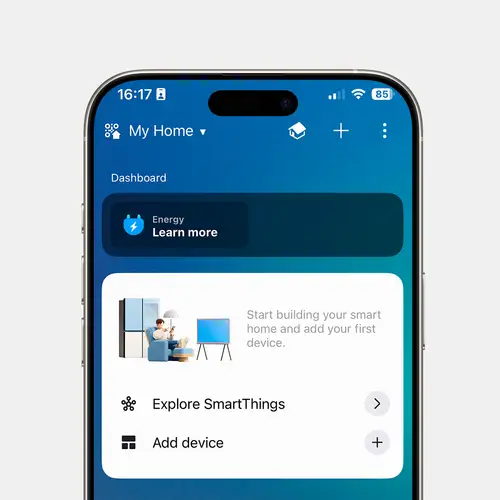
1. Open the SmartThings app
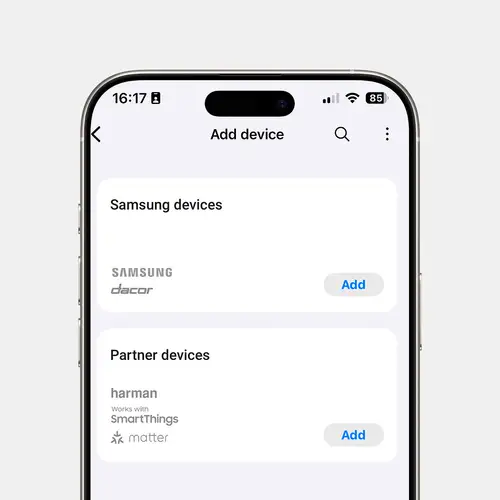
Open the SmartThings app on your mobile device and log in with your Samsung Account. Tap the plus symbol to start adding a new device in the ‘Add Device’ section.
2. Select a paired device
Search for JUNG under ‘Partner Devices’ in the manufacturer list and select the JUNG HOME gateway. The SmartThings app will guide you step by step through the rest of the set-up process.
3. Confirm the connection via myJUNG
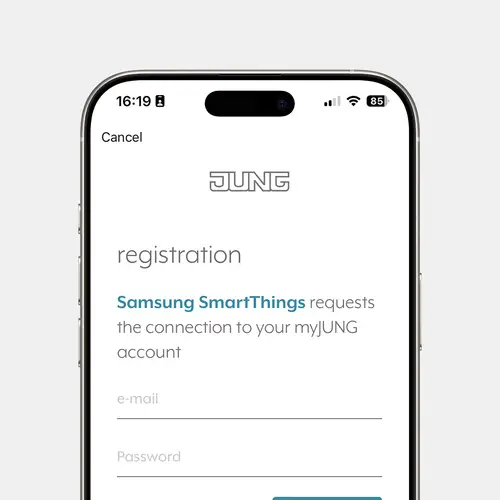
Register the gateway as per the app instructions and confirm the link with SmartThings in your myJUNG account. The JUNG HOME functions that have been enabled will then be available in SmartThings.