0

Levelling Up Luxury Living with Geofencing Automation

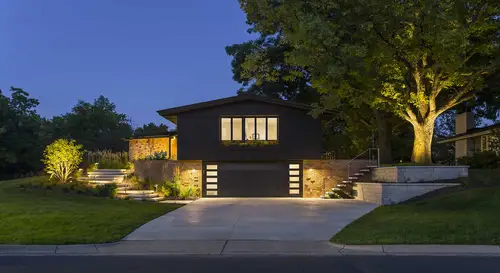
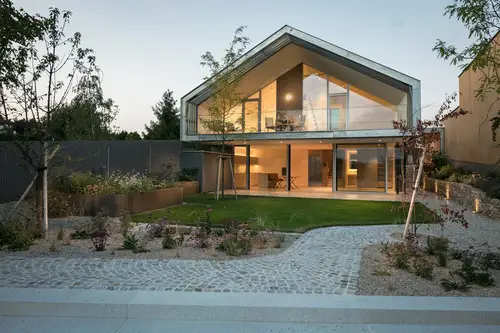
212 Lakeside, Haschendorf, Austria. © Architecture: formann ² puschmann, architekten zt-gmbh, Photo: Michael Baumgartner, KiTO
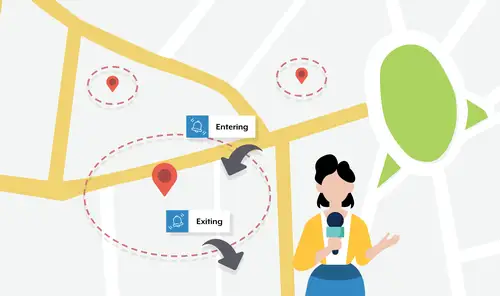
More than just exquisite design, what defines an upscale living space is the seamless integration of cutting-edge technology. These systems act as personal stewards, making daily living more comfortable by adding convenience, customisation, and security to smart home systems. One such technology that has gained popularity since the early 2010s is geofencing, a location-based technology that triggers automated actions whenever a device enters or exits a predefined geographic boundary.
Geofencing technology adds a new dimension of control to smart appliances throughout the home. With the use of real-time location services (RTLS) such as GPS, Wi-Fi, or Bluetooth Low Energy (BLE), the smart home hub can tailor smart appliances to activate just based on user location — without requiring the user to press a button. These actions can be highly personalized, responding to specific times in the day or to specific individuals. To achieve greater reliability and flexibility in the forms of automated actions, geofencing can also be paired with other forms of software and IoT.
Setting up Geofencing for a smart home:
1. Configure the smart home hub and smart appliances
2. Define a virtual perimeter (geofence) around a home.
3. Register personal smart devices (e.g. smartphones, smartwatches) of family members into the smart home hub.
4. Create automation rules for entering/exiting the "geofence" based on specific times of day or events.
5. Trigger an automation whenever unique registered device enters or exits the virtual perimeter (determined by real-time location services like GPS).

Below are some interesting examples of how geofencing can be implemented in your smart home.
1. Welcoming Home

Automation: As you approach home, the main gate and garage shutters open automatically. If it is after dusk, a complex lighting scene will activate. 

Rule: Doors only open when you have entered the geofence. Lighting scene only triggers when the sky is dark and there is limited visibility.

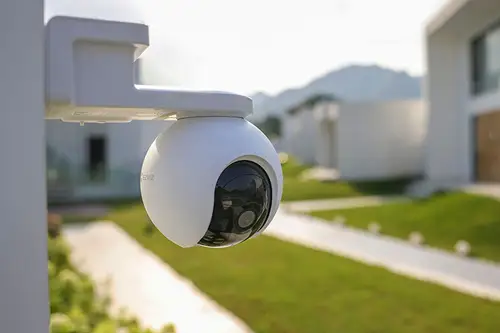
Scenario: As you approach your driveway from 10 meters away, AI-powered security cameras recognise your car's license plate while your smart home hub simultaneously detects your smartphone entering the geofence. This dual verification confirms your return and triggers the main gate to open to welcome you, followed by the garage shutters lifting to allow vehicle entry. Typically, the driveway lights are normally set to be dimly lit at night to provide basic illumination while being energy efficient. However, if you return home after dusk, the driveway lights will brighten, and your porch lights gently dim to avoid glare. Shortly after, the lights at the entrance of your house gradually turn on, creating a smooth transition from outside to indoors.

2. Amplifying Recovery

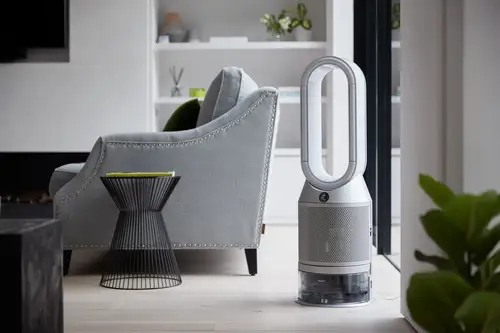
Automation: As you return home after you finish exercising, the air purifier and dehumidifier activate while the water heater turns on to prepare a warm shower.

Rule: Appliances only activate when wearables like smart watches/fitness trackers register the end of an exercise session, and you have entered the geofence.

Scenario: By integrating wearables with the smart home hub, biometric data — such as heart rate — can be monitored in real time. When wearables detect the end of an exercise session through the changes in heart rate, it sends a signal to your smart home hub to prepare a recovery-focused automation sequence for when you return home. As you approach home, the air purifier and dehumidifier activate to improve the air quality, such as removing dust, pollen, other particles such as volatile organic compounds (VOC) from the air and reducing excess humidity to support better breathing and thermoregulation. Simultaneously, the water heater also turns on to ensure that the shower is ready for you to freshen up.

3. Optimizing Usage

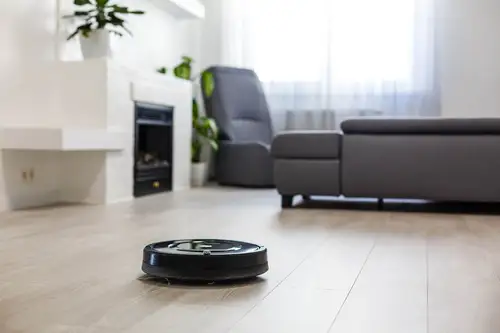
Automation: The automatic vacuum cleaner activates when the last household member is detected to have left the geofence.

Rule: Only activate on weekday mornings and when the home is confirmed to be in a "vacant" state.

Scenario: Automatic vacuum cleaners can be noisy and disruptive to those at home during operation. When the last family member is detected to have left the house for work or school on a weekday morning, the smart home hub registers the home as "vacant". This state then triggers the automatic vacuum cleaner to begin cleaning the house without disturbing the family.

4. Tailoring to Individual Habits

Automation: Turn on the water heater when a specific member of the family returns home.

Rule: Only activate the water heater for these individuals if they have been away from the home for more than 2 hours and is recognised to have re-entered the geofence.

Scenario: Some family members may have a habit of taking a shower immediately after returning home. The smart home hub monitors when these individuals exit the geofence, amd if they have been away for more than two hours, triggers an automation sequence. By combining geofencing together with AI-powered security cameras to identify returning individuals, the system can confirm that the right person is recognised. This triggers the water heater to automatically turn on, ensuring hot water is ready for a warm, refreshing shower without any manual input required. For family members who do not share this habit, the automation remains inactive to avoid unnecessary energy use.

5. Safeguarding Premises

Automation: The smart home hub sends a real-time alert to you whenever an unknown individual lingers within the geofenced area.

Rule: Only triggers if an unregistered device stays within the geofence for a specific duration.

Scenario: The home security system uses real-time location services such as Bluetooth Low Energy to continuously scan for nearby devices. If an unregistered device enters and lingers in the geofenced area for a predefined amount of time, the system flags this up as a potential security concern. A real-time alert in the form of an app notification can then be sent to your smartphone. This automation can be further enhanced by integrating with doorbell or security cameras installed on the exterior to visually verify activity in the surroundings through live feeds.
When considering geofencing automation as part of your smart home, it is important to approach adopting geofencing based on your specific needs. The purpose of this technology is to act as your family's "butler", serving your individual unique needs. By understanding your own habits, preferences, and requirements, your technology solution provider will be able to concoct and calibrate the ideal settings for your family.